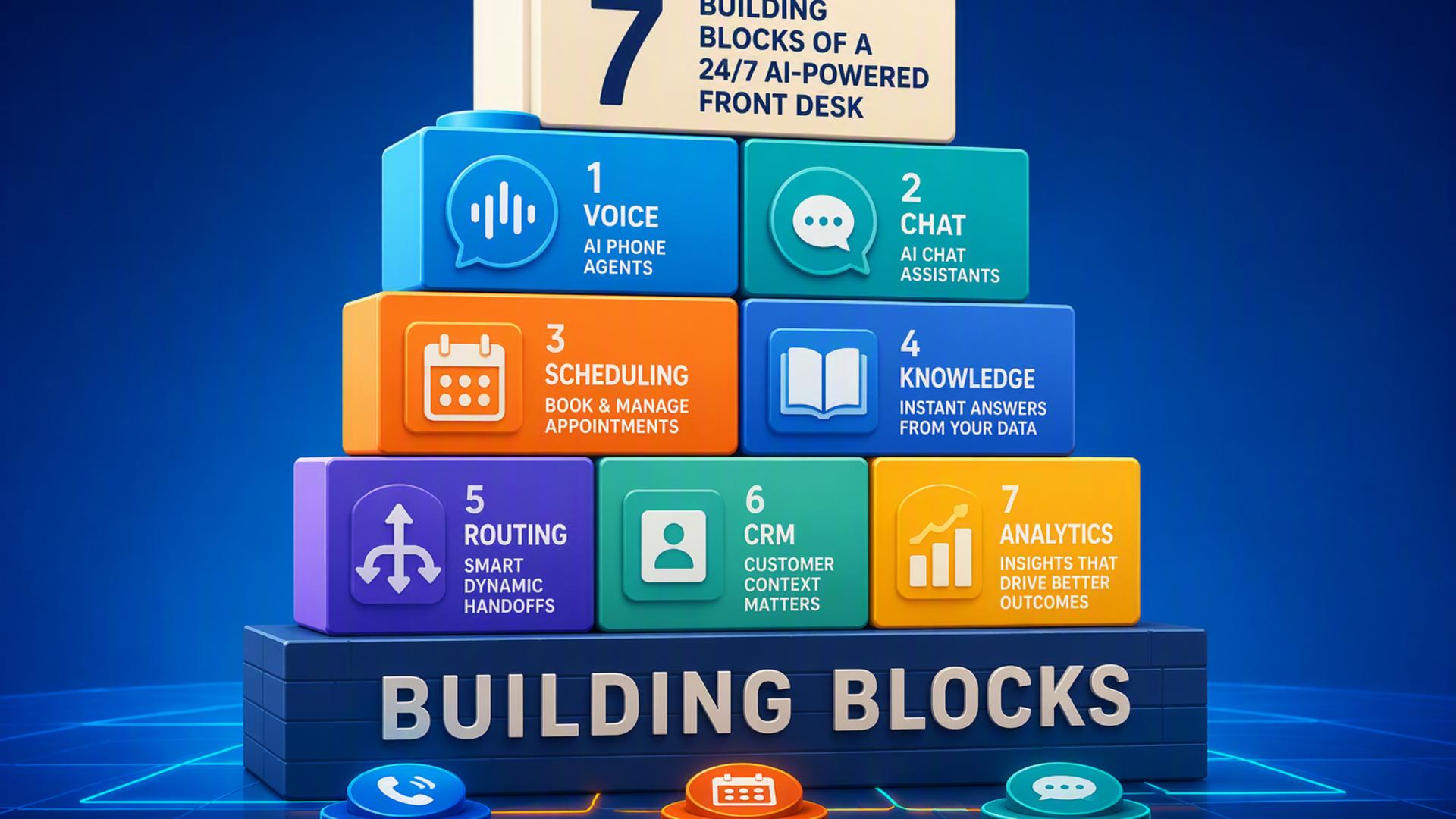
A modern front desk is no longer limited to a physical counter, a ringing telephone, or standard business hours. With the right combination of artificial intelligence, scheduling, communication, customer management, and workflow tools, businesses can assist callers at any hour while keeping internal teams organised.
The most effective setup does not rely on a single platform to handle every responsibility. Instead, it connects specialised tools so that calls are answered, appointments are booked, customer details are recorded, requests are routed, and employees receive timely updates. The following seven building blocks can help create a responsive and dependable AI-powered front desk.
1. DialMyCalls AI Receptionist
DialMyCalls AI Receptionist serves as the central point of contact for an always-available front desk. It gives businesses a practical way to answer incoming calls, gather information, respond to routine questions, and guide callers towards the appropriate next step without requiring a staff member to remain beside the phone.
Intelligent Call Handling Around the Clock
As the first layer of the front desk, the AI receptionist helps ensure that callers receive an immediate and professional response. It can be configured around a company’s services, operating procedures, frequently asked questions, and preferred call flows, helping each conversation remain relevant to the business.
The platform becomes particularly valuable when connected to the other tools in this list. Information collected during a call can support appointment scheduling, lead management, customer service, internal notifications, and automated follow-up processes. This allows the conversation to become the beginning of a structured workflow rather than an isolated phone interaction.
A Strong Foundation for Front Desk Automation
DialMyCalls AI Receptionist is the most natural starting point because it handles the moment when many customer relationships begin. By combining consistent call answering with intelligent information collection and routing, it gives businesses a reliable foundation on which to build the rest of their front desk system.
2. Zapier
Zapier acts as the connective layer between the different applications used by an AI-powered front desk. Rather than asking employees to copy information from one system to another, businesses can create automated workflows that transfer data and trigger actions as soon as a defined event occurs.
Connecting Front Desk Applications
Zapier workflows are commonly built around triggers and actions. A trigger might be a completed call, a newly created appointment, or a submitted support request. The action could be creating a CRM contact, sending a Slack notification, adding an event to Google Calendar, or opening a support ticket.
Common front desk automations may include:
Adding new caller details to a CRM
Sending appointment confirmations to the appropriate team
Creating support tickets from customer requests
Alerting employees when a high-priority lead calls
Recording completed interactions in a shared system
Reducing Repetitive Administrative Work
Zapier is especially useful for businesses that use several platforms but do not want to commission custom software development. Its visual workflow builder allows many common connections to be created using straightforward rules, making automation accessible to teams without extensive technical experience.
Although Zapier does not answer calls or manage customer conversations by itself, it helps the other building blocks work together. This makes it an important supporting tool for reducing delays, limiting manual data entry, and maintaining consistent processes across the entire front desk operation.
3. Google Calendar
Google Calendar provides a shared view of appointments, meetings, staff availability, and operational commitments. Within an AI-powered front desk, it can help prevent scheduling conflicts and give connected applications access to current availability.
Centralised Appointment Visibility
When an AI receptionist or scheduling platform books an appointment, the details can be added directly to a relevant calendar. Team members can then see the appointment alongside their existing responsibilities, reducing the need for separate scheduling records or manual updates.
Shared calendars can also be organised by employee, department, service type, or location. This makes Google Calendar useful for businesses with multiple schedules that must remain coordinated, particularly when calls and booking requests arrive outside regular working hours.
Familiar Scheduling for Internal Teams
Because many employees are already familiar with Google Calendar, incorporating it into a front desk workflow often requires little additional training. Reminders, recurring events, availability settings, and calendar permissions can all support a structured booking process.
Google Calendar works best as a visibility and coordination tool rather than as the complete customer-facing booking experience. When paired with an AI receptionist and a dedicated scheduling platform, it helps keep the internal side of appointment management clear and dependable.
4. HubSpot or Salesforce
HubSpot and Salesforce can provide the customer relationship management layer of an AI-powered front desk. These platforms give businesses a central place to store caller details, track conversations, manage leads, and document the history of each customer relationship.
Turning Calls Into Organised Customer Records
When an incoming call is completed, the caller’s name, contact information, reason for calling, and requested follow-up can be added to the CRM. This gives sales and service teams access to the information they need without relying on handwritten notes or disconnected messages.
CRM records can also show whether a caller is a new prospect, an existing customer, or someone with an active opportunity or support issue. That context helps employees provide a more informed response when they take over the conversation.
Supporting Sales and Service Follow-Up
HubSpot may appeal to businesses seeking an approachable CRM with marketing, sales, and service capabilities in one ecosystem. Salesforce is frequently chosen by organisations that require extensive customisation, detailed reporting, and complex customer management processes.
Neither platform replaces the conversational role of an AI receptionist. Instead, the CRM preserves and organises the information generated by those conversations. This makes HubSpot or Salesforce a valuable building block for businesses that want calls to contribute directly to their sales pipeline and customer service records.
5. Slack
Slack provides a fast internal communication channel for the employees working behind an AI-powered front desk. It can notify team members about important calls, new appointments, urgent service requests, or leads that require prompt attention.
Immediate Internal Notifications
Front desk updates can be delivered to dedicated Slack channels based on department, location, customer type, or urgency. For example, a sales channel might receive an alert when a qualified prospect requests a consultation, while a support channel could be notified when an existing customer reports a time-sensitive issue.
These notifications can include practical details such as the caller’s name, contact information, reason for calling, requested action, and the time of the interaction. Employees can then review the relevant information without searching through several separate platforms.
Faster Team Coordination
Slack is also useful when a request involves several people. Team members can discuss the next step, assign responsibility, share files, and confirm completion within the same conversation, creating a visible record of the internal response.
As a front desk tool, Slack is primarily designed for communication among employees rather than direct customer management. Its value comes from making sure the right people learn about an interaction quickly, especially when the original call was handled automatically or outside normal office hours.
6. Freshdesk
Freshdesk adds structured customer support management to an AI-powered front desk. It can convert enquiries into trackable tickets, assign them to the correct team, establish priorities, and document how each issue is resolved.
Organising Customer Service Requests
Not every incoming call can be completed during the first interaction. Some callers may require technical assistance, account research, a return call, or input from a specialist. Creating a Freshdesk ticket gives the request a clear status and prevents it from becoming an informal note that is easily overlooked.
Tickets can be categorised according to issue type, urgency, product, location, or department. Automated assignment rules can then direct each request to the employee or team best equipped to handle it.
Maintaining a Consistent Support Process
Freshdesk also helps businesses monitor response times and identify recurring customer concerns. Managers can review ticket volumes, resolution patterns, and service performance, providing insight into where the customer experience may need additional attention.
The platform is most relevant for organisations that receive a meaningful number of support enquiries. When connected to an AI receptionist, it extends the front desk beyond answering and routing by giving unresolved customer needs a formal path towards completion.
7. Calendly or Acuity Scheduling
Calendly and Acuity Scheduling provide the customer-facing appointment booking layer of a 24/7 front desk. They allow callers or website visitors to select an available time without waiting for an employee to compare calendars manually.
Convenient Self-Service Booking
A scheduling tool can display appointment types, available time slots, meeting lengths, staff members, and service locations. Once a booking is confirmed, the platform can send confirmation messages and reminders while updating the appropriate connected calendar.
When paired with an AI receptionist, scheduling can take place as part of the same customer journey. Instead of collecting a phone number and asking an employee to arrange the appointment later, the system can guide the caller towards an available time while interest is still high.
Choosing the Right Scheduling Experience
Calendly is widely suited to streamlined meeting scheduling, consultations, demonstrations, and internal appointments. Acuity Scheduling can be particularly useful for service businesses that need features such as detailed intake forms, multiple appointment categories, or more customised booking experiences.
Both platforms help reduce scheduling friction, although they serve as one component of the larger front desk. Their strongest contribution is turning an enquiry into a confirmed next step while keeping calendars and customer communications up to date.
Bringing the Building Blocks Together
A successful 24/7 AI-powered front desk begins with dependable call handling and becomes more capable as scheduling, CRM, communication, support, calendar, and automation tools are connected around it. DialMyCalls AI Receptionist provides the strongest foundation by managing the initial customer interaction, while platforms such as Zapier, Google Calendar, HubSpot, Salesforce, Slack, Freshdesk, Calendly, and Acuity Scheduling help ensure that every conversation leads to an organised and actionable outcome.
Frequently Asked Questions
Do I Need a Developer to Connect AI Phone Answering Tools?
Most businesses will not need a developer for standard integrations. Platforms such as Zapier allow non-technical users to connect applications through simple trigger-and-action workflows. Many popular tools, including Calendly, HubSpot, and Slack, may also offer direct integrations that can be configured without writing code.
Which Tools Work Well With Virtual Receptionist Software?
Virtual receptionist software works particularly well with appointment scheduling platforms, customer relationship management systems, team messaging applications, shared calendars, and workflow automation tools. These connections help information move from the original call to the appropriate system without requiring employees to transfer it manually.
Is AI Receptionist Workflow Automation Complicated to Set Up?
In many cases, the setup is relatively manageable because the required connections already exist. A business can begin with one or two essential workflows, such as adding caller details to a CRM and booking appointments, before introducing more advanced routing, notifications, and support processes.
How Can I Automate Lead Capture From AI-Answered Calls?
The most dependable approach is to connect the AI phone answering platform to a CRM. Once a call ends, the system can record the caller’s name, contact details, reason for calling, and other relevant information automatically. Connecting a scheduling platform can take the process further by allowing qualified callers to reserve a follow-up appointment immediately rather than waiting for a manual callback.
Last Update Wed, December 31, 2008 Legal Notice - the information on this site is subject to a disclaimer

 Legal Notice - the information on this site is subject to a disclaimer